Preparing Your Website for the AI Agentic Internet
The web once learned to speak to browsers, then to search engines. Now it must speak to AI agents. This is a general walkthrough — with live, interactive mini-demos — for making any website ready for the agentic Internet with Cloudflare.
Context: Cloudflare's Agents Week 2026 roundup frames this shift as the emerging agentic web. This walkthrough focuses on the website layer: control what bots can access, package content for agents, and measure whether your site is ready.
DT
David Tofan
14 min read · 12 sections
01 Where we are
The Internet's next historic phase
This isn't incremental. The web is learning a new audience the way it once learned browsers and search engines — and the old search-to-click bargain is breaking as agents read more than they refer.
The Internet's next historic phase
Packet-switched networks stitched universities and labs together.
HTTP and HTML gave browsers a universal document interface.
Responsive design taught sites to fit pocket-sized screens.
APIs became the real product; the browser became optional.
Now the web must speak to autonomous AI — on its own terms.
The web has always had to adapt to new standards. It learned to speak to web browsers, and then it learned to speak to search engines. Now, it needs to speak to AI agents.
In 1994, robots.txt taught the web to talk to search crawlers.
Thirty-two years later, almost nothing on your site is ready for the crawlers that matter now: AI agents and the humans driving them.
The numbers are mind-blowing — see AI Search Crawl Refer Ratio on Radar and the
crawl-to-click insights.
What follows is Cloudflare's original five-pillar
Agent Readiness framework, plus two additional pillars I added here: Performance and Security.
02 The framework
What "agent-ready" actually means
Being "agent-ready" is less about adding AI to your site and more about letting AI reliably and respectfully read, act on, and transact with it. Cloudflare scanned the top 200,000 domains — here is a baseline:
The original Cloudflare rubric this walkthrough starts from: 12 checks across Discoverability, Content, Bot control, Capabilities, and Commerce. This article then extends that model with Performance and Security. Most sites score 2 of 12 today — where does yours stand?
Framework note:isitagentready.com scores the original five Cloudflare pillars. This walkthrough extends that rubric with two operational pillars — Performance and Security — so the full checklist here spans seven categories.
Most sites already have a robots.txt — but not prepared for agents. The first three isitagentready.com checks fall under this pillar.
Most useful for: any public website, docs portal, blog, or product site that wants search engines and AI agents to reliably discover crawlable pages and machine-readable resources.
Interactive demo · robots.txt builder
— click any bot to toggle
Selected AI crawlers
This simplified view focuses on the bots most likely to matter for crawl or training control. Allowed bots do not need explicit entries here; robots.txt only needs the blocks you actually want to emit.
Content signals
search
ai-input
ai-train
Output · /robots.txt
Allowed crawlers are implicit — only explicit Disallow blocks are emitted. Tip: on Cloudflare, flip
Security Settings → Bot traffic → robots.txt
to auto-generate and maintain this for you.
Why Disallow: /cdn-cgi/ matters
Cloudflare reserves the
/cdn-cgi/ path for internal features (challenge pages, email obfuscation, etc.). Crawling it produces noise in Search Console. Disallow it — but if you use Cloudflare Image Transformations (/cdn-cgi/image/), scope the rule to avoid blocking your own image variants.
Here is more information on the SEO (Search Engine Optimization) impact by Cloudflare.
Link response headers for agent discovery
Return Link: headers on your homepage so agents can find machine-readable resources without parsing HTML. The syntax is specified by
RFC 8288;
RFC 9727 §3
registers api-catalog. Common companion relations — service-desc, service-doc, describedby — come from
RFC 8631
and appear in
RFC 9727 Appendix A.1
as usage examples.
Markdown for Agents — content that isn't wasted on them
Agents parsing HTML burn tokens on nav, scripts, and chrome. Markdown is the right wire format for LLMs (Large Language Models). Toggle the Accept header below to see Cloudflare's edge conversion in action.
Most useful for: publishers of articles, documentation, knowledge bases, changelogs, and other text-heavy pages where the real content is buried under lots of HTML chrome.
Interactive demo · content negotiation
— flip the Accept header
Enable with one toggle on Cloudflare —
Markdown for Agents.
Edge converts HTML → Markdown via Accept: text/markdown on the fly. No new .md files required.
Markdown for Agents performs edge-side HTML→Markdown conversion on the fly — no new .md files required. Cloudflare's own docs reported up to ~80% token reduction — see Agent Readiness · content accessibility. The response also adds x-markdown-tokens, vary: accept, and a content-signal declaration.
In practice only a handful of coding agents — Claude Code, OpenCode, Cursor — are known to send Accept: text/markdown by default, but emitting it costs you nothing.
For everyone else, add a URL fallback: make pages available at /index.md relative to the canonical URL. Cloudflare documents this pattern by combining a URL Rewrite Rule that strips /index.md back to the base path with a Request Header Transform Rule that matches on raw.http.request.uri.path and injects accept: text/markdown. That gives agents a deterministic Markdown URL even when they never negotiate on headers.
Flip side: if you're building the agent, Cloudflare's
Browser Run Markdown endpoint
gives you a one-call API to pull clean Markdown from any URL (or raw HTML) — useful for ingesting sites that don't yet serve it natively.
05 Pillar 3 · Bot access control
From passive disclosure to active enforcement
Content Signals declare intent. AI Crawl Control + WAF (Web Application Firewall) enforce it. Web Bot Auth adds cryptographic identity when a bot provider signs requests.
Most useful for: site owners who need to decide which AI crawlers may read, train on, pay for, or be blocked from their content. Within this pillar, Web Bot Auth mainly matters to bot providers or operators who sign traffic; site owners mostly consume the verification result.
Cloudflare's Moving past bots vs. humans is the broader framing for this pillar: site owners do not just need to know whether a request is automated; they need to understand intent, proportional load, accountability, and whether the client should be allowed, limited, charged, or blocked.
AI Crawl Control — per-bot allow / block / charge, with a dashboard view of every AI category (AI Crawler, AI Search, AI Assistant, Archiver). Free and self-serve plans detect by user-agent; Enterprise plans with Enterprise Bot Management use full Detection IDs.
Redirects for AI Training — one toggle converts <link rel="canonical"> tags into HTTP 301s for verified AI training crawlers. Cloudflare's own docs redirected 100% of training crawler requests to deprecated pages in the first week.
Verified Bots + Web Bot Auth — cryptographic identification via Ed25519 HTTP Message Signatures (RFC 9421), public keys at /.well-known/http-message-signatures-directory. This is primarily for bot providers/operators: they publish keys and sign requests, while site owners mostly consume the verification result at the edge. Cloudflare uses Web Bot Auth for both verified bots and signed agents, but a bot can only be registered as one classification.
Operators publish an Ed25519 public key; Cloudflare verifies the signature per
RFC 9421 on every request.
Identity becomes cryptographic — user-agent spoofing stops working. This is primarily a bot-operator protocol: organizations that run bots publish keys and sign requests, while site owners mostly use Cloudflare's verification result to allow, charge, or block. Cloudflare uses Web Bot Auth for both verified bots and signed agents, but a bot can only be registered as one classification.
Signals declare. Enforcement executes. Ship both.
Content Signals publish intent; Managed robots.txt + AI Crawl Control + WAF publish consequences. Web Bot Auth adds cryptographic identity when incoming bot traffic is signed by a bot provider. Without the enforcement layer, signals are wishes — not policy.
06 Pillar 4 · Capabilities
Give agents things to do
Beyond reading content, agents should be able to authenticate, discover APIs, and call tools. Most sites have zero presence here — the upside is huge.
Most useful for: organizations exposing APIs, SaaS actions, search endpoints, MCP servers, or other machine-callable services. If your site is purely informational, you likely need only a subset of these surfaces.
The capability well-knowns, in order of the isitagentready.com checklist:
/.well-known/api-catalog — RFC 9727, a Linkset of your APIs. Mainly useful for organizations or people who expose one or more API services and want agents to discover them systematically.
/.well-known/oauth-authorization-server — RFC 8414 / OIDC (OpenID Connect) discovery. Useful when you operate your own authorization server for APIs, MCP servers, or agent actions.
/.well-known/oauth-protected-resource — RFC 9728, tells MCP (Model Context Protocol) clients which AS (Authorization Server) to use and which scopes to request. Useful for protected APIs or MCP endpoints that require scoped access.
/.well-known/mcp/server-card.json — MCP SEP-2127, describes your server's tools, transport, and auth. Useful for teams operating an MCP server and wanting clients to discover its capabilities cleanly.
/.well-known/agent-skills/index.json — Agent Skills, Anthropic's directory convention. Useful when you publish reusable agent workflows, prompts, or skills as first-class assets.
WebMCP — W3C Community Group draft, the browser API surface around navigator.modelContext and methods like registerTool() for exposing in-page tools to agents. Mainly useful for browser applications that want to expose live, in-page actions or context directly to agents.
Build your first one below — a minimal MCP Server Card. Host it on a
Cloudflare Worker
with
AI Search
as the backing retrieval.
Interactive demo · MCP server card
— edit any field
Enterprise pattern: if you operate multiple MCP servers, put them behind an
MCP Server Portal
and use
Code Mode
so clients do not need every upstream tool schema in context. Cloudflare describes this as the pattern behind its
internal AI engineering stack.
Note: Content Signals, MCP Server Card, WebMCP, and Agent Skills are all drafts or community reports — adopting them is a forward bet. Publish drafts on non-critical paths, and keep versions pinned.
07 Pillar 5 · Commerce
Pay Per Crawl and x402 — monetize, or block
HTTP 402 has existed since 1997; x402 and Pay Per Crawl are reviving it for agent and crawler payments. The handshake below is what actually travels between crawler and origin.
Most useful for: publishers, data providers, and API operators with high-value content or actions that should be monetized, rate-limited, or blocked for bots instead of treated like free traffic.
The 402 Payment Required status has existed since HTTP/1.1 in 1997 — it finally has a use. Cloudflare acts as Merchant of Record; signatures verified via
Web Bot Auth. In practice, the crawler provider signs these requests and the publisher consumes the verification result.
This diagram shows the common 402-then-retry flow: Step 2 returns crawler-price, and Step 3 retries with crawler-max-price. If a crawler already knows the site's policy, it can send crawler-max-price on the first request; after a 402, it can also retry with crawler-exact-price: USD 0.05.
The open-standard version — x402 — settles on-chain.
Pay Per Crawl lets publishers choose Allow, Charge, or Block per crawler. Charge typically starts with 402 plus crawler-price; crawlers then retry with either crawler-max-price or crawler-exact-price, and successful responses include crawler-charged. All payment headers must be Web Bot Auth-signed by the crawler/provider.
The open-standard version is x402, governed by the x402 Foundation (Coinbase + Cloudflare) with stablecoin settlement.
The broader commerce layer — Visa's Trusted Agent Protocol (built on Cloudflare Web Bot Auth), Mastercard Agent Pay, Google AP2 (Agent Payments Protocol) — treats agent authentication and signed intent as first-class primitives.
Slow sites don't just frustrate humans — they time out agents and blow token budgets. Cloudflare's web performance stack doubles as your agent-readiness layer.
Most useful for: any public site, but especially docs portals, blogs, template-heavy pages, ecommerce catalogs, and other experiences that agents may fetch repeatedly or summarize under time and token constraints.
Request path · performance features grouped by stage
Every stage is a toggle — measure with
Speed Observatory
(Lighthouse + RUM at p75), enable features, re-measure. For agents specifically,
Markdown for Agents
is the cheapest compression you can ship.
Synthetic Lighthouse + RUM (Real User Monitoring) at p75 for LCP (Largest Contentful Paint), INP (Interaction to Next Paint), CLS (Cumulative Layout Shift), TTFB (Time to First Byte). Recommendations map to Image Transformations, Argo, Brotli, HTTP/3, Early Hints and more.
Most useful for: any organization exposing /.well-known/ endpoints, APIs, MCP servers, auth flows, or other machine-readable surfaces. The more agent-facing capability you publish, the less optional this pillar becomes.
OWASP LLM01
Indirect prompt injection
Content agents read becomes instructions an attacker controls.
Never inject user content into MCP tool descriptions. Strip remote image markdown from untrusted sources. Enforce human-in-the-loop for destructive tools.
Monetize or block — choose Pay Per Crawl for high-value content.
If you do nothing: your content still gets scraped, your brand still gets summarized in AI answers — you just give up both (potential) compensation and the ability to correct what the model says about you. This is your choice.
11 Ship it
The developer workflow with Cloudflare
The fast path from plan to deployed. Everything below is official Cloudflare tooling.
Tick the boxes as you ship. Filter by pillar. Reset when you start on a new zone.
Interactive checklist · mapped to Cloudflare
0 / 17 shipped
What to ship
Spec
Cloudflare
Done
01
robots.txt with AI UAs + Disallow: /cdn-cgi/
RFC 9309
Managed robots.txt
RFC 9309
Managed robots.txt
02
sitemap.xml with canonicals
sitemaps.org
Managed robots.txt
sitemaps.org
Managed robots.txt
03
Link: headers for resource discovery
RFC 8288
Transform Rules
RFC 8288
Transform Rules
04
Serve markdown on Accept: text/markdowneasy win
Cloudflare spec
Markdown for Agents
Cloudflare spec
Markdown for Agents
05
Content Signals in robots.txt
contentsignals.org
Content Signals Policy
contentsignals.org
Content Signals Policy
06
AI-training redirects via canonicaleasy win
Cloudflare
Redirects for AI Training
Cloudflare
Redirects for AI Training
07
Verified-bot enforcement
Web Bot Auth (draft)
Verified Bots · Web Bot Auth
Web Bot Auth (draft)
Verified Bots · Web Bot Auth
08
/.well-known/api-catalog
RFC 9727
Workers
RFC 9727
Workers
09
OAuth / OIDC discovery
RFC 8414 / OIDC
Workers OAuth Provider
RFC 8414 / OIDC
Workers OAuth Provider
10
/.well-known/oauth-protected-resource
RFC 9728
Workers OAuth Provider
RFC 9728
Workers OAuth Provider
11
MCP Server Card
SEP-2127 (draft)
Workers + Durable Objects
SEP-2127 (draft)
Workers + Durable Objects
12
Agent Skills index
agentskills.io
Static hosting / R2
agentskills.io
Static hosting / R2
13
WebMCP (navigator.modelContext)
W3C CG draft
Any site
W3C CG draft
Any site
14
HTTP 402 / Pay Per Crawleasy win
Cloudflare
Pay Per Crawl
Cloudflare
Pay Per Crawl
15
x402 for content and MCP tools
x402.org
Agents SDK
x402.org
Agents SDK
16
Core Web Vitals + RUM
web.dev
Speed Observatory · Shared Dictionaries
web.dev
Speed Observatory · Shared Dictionaries
17
Bot auth + scoped OAuth + tool allowlists
OWASP LLM / Agentic
AI Gateway · Access · WAF · Logpush
OWASP LLM / Agentic
AI Gateway · Access · WAF · Logpush
Build it with AI tools
Cloudflare publishes a
style guide for AI-assisted development
— curated prompts, llms.txt indexes, IDE (Integrated Development Environment) setup, and the docs MCP server so your agent pulls
verified Cloudflare references while it writes code.
llms-full.txt — every page inlined as markdown in a single file for bulk ingestion.
Cloudflare Docs MCP server — https://docs.mcp.cloudflare.com/mcp. Add once to Claude Code, Cursor, or VS Code and your agent can search the docs directly.
Read all of the above alongside
Stop shipping AI files nobody reads
by Walshy. The core argument: most AI-specific files (llms.txt and friends) largely go unread, and the durable win is to make your site human-friendly — you get agent-friendly for free. I personally agree with these findings, especially two of them:
"Write clean HTML, use semantic markup, write content humans want to read."
"If you really want to do something agent-specific, the right shape is content negotiation, not a separate file."
That lands squarely on Pillar 2 of this walkthrough: the strongest agent-readiness move isn't a pile of bespoke files to maintain — it's clean, semantic content plus content negotiation (Accept: text/markdown), so one canonical URL serves humans and agents alike. Treat the well-knowns and capability surfaces here as deliberate, high-value additions, not a checklist of files to litter your site with.
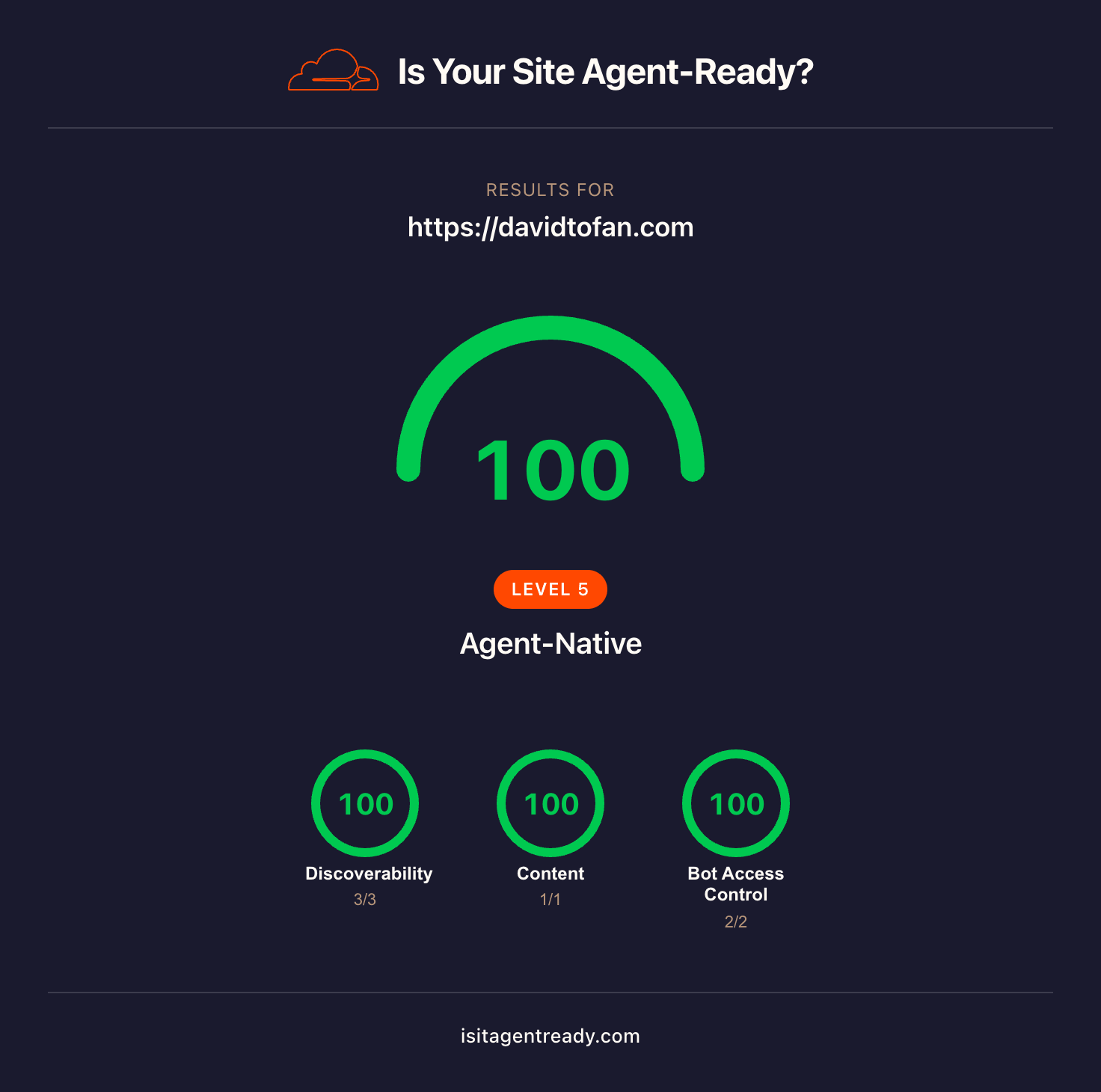
This is a non-exhaustive practitioner's intro to making your website AI agent-ready. Educational purposes only — the standards above will keep shifting, and that's the point. Audit your site at isitagentready.com, read your crawl-to-refer ratio on Cloudflare Radar AI Insights, then decide consciously what you want to expose, monetize, or block. Properly inform yourself, keep learning, keep testing — and, as always, secure before you ship.